Understanding Google Find Hub
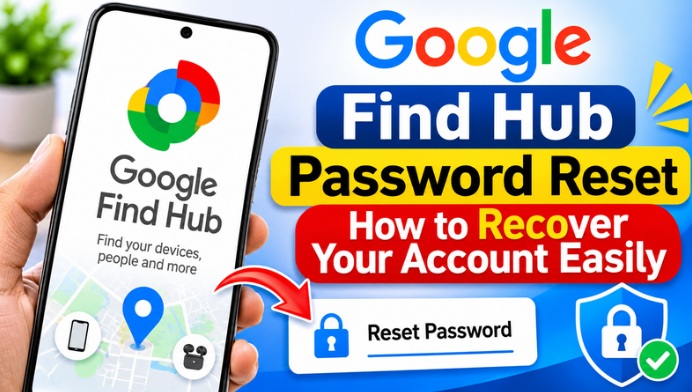
Google Find Hub is designed to help users find their lost Android smartphones and compatible devices. It uses Google’s device location services to display the available location information. Users can access the service through their Google Account and manage supported device security features. Having access to the correct Google Account is important for using Find Hub effectively.
Why You May Need to Reset Your Password
There are several reasons why users may need to reset their Google password before accessing Find Hub. Forgetting login credentials, entering an incorrect password multiple times, or experiencing suspicious account activity can create login difficulties. Sometimes, users may also lose access to their saved passwords after changing their smartphone. In these situations, Google’s official account recovery process can help restore access.
Visit the Google Account Recovery Page
The first step is to visit Google’s official account recovery page using a browser. Enter the Gmail address associated with your Find Hub account and follow the instructions displayed on the screen. Google may ask you to verify your identity before allowing you to change your password. Always use the official Google website to avoid fake password recovery pages.
Verify Your Google Account Identity
Google may provide different verification options depending on your account security settings. These options can include receiving a verification code through a recovery phone number or email address. You may also be asked to approve a notification on a previously signed-in device. Completing the verification process helps Google confirm that you are the account owner.
Create a New Google Password
After successfully verifying your identity, Google may allow you to create a new password. Choose a strong password that is difficult for others to guess. Avoid using your name, date of birth, or simple number combinations. A unique password containing uppercase letters, lowercase letters, numbers, and symbols can help improve your account security.
Sign In to Google Find Hub Again
Once your Google password has been successfully changed, return to the Google Find Hub website or app. Sign in using your Gmail address and newly created password. If the login is successful, you should be able to access the available Find Hub features associated with your account. Some devices may require additional verification before displaying their location information.
Check Your Connected Android Devices
After recovering your Google Account, check whether your Android smartphone appears in Find Hub. Make sure the device is connected to the correct Google Account and that the necessary location and device-finding settings are enabled. The availability of location information depends on the device’s settings, connectivity, and other supported conditions.
Protect Your Google Account from Unauthorized Access
Account security is important when using services such as Google Find Hub. Enable two-step verification, keep your recovery email and phone number updated, and avoid sharing your password with anyone. You should also review your Google Account security activity regularly. These precautions can help protect your personal information and connected devices.
Common Google Find Hub Login Problems
Some users may continue experiencing login issues even after resetting their passwords. This can happen because of incorrect Gmail details, outdated app versions, internet connectivity problems, or additional security verification requirements. Try signing in through an updated browser, check your internet connection, and follow any instructions provided by Google. If the problem continues, use Google’s official account recovery options.
Final Thoughts on Google Find Hub Password Reset
Resetting your Google password is an important step when you cannot access Google Find Hub because of forgotten login credentials. By following Google’s official account recovery process, verifying your identity, and creating a strong new password, you can regain access to your account. Keeping your recovery information updated and enabling additional security features will also help protect your Google Account in the future.