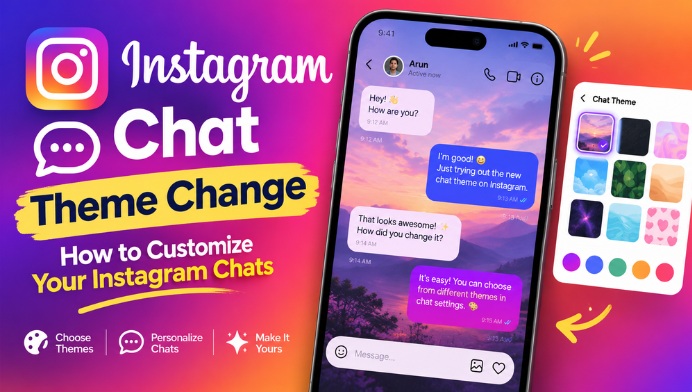
What Is an Instagram Chat Theme?
An Instagram chat theme changes the visual appearance of a particular conversation in Instagram Direct Messages. Depending on the themes available on your account, you may see different colors, gradients, or designs. The selected theme generally applies to the conversation rather than changing the appearance of the entire Instagram application.
Why Change the Instagram Chat Theme?
Changing the Instagram chat theme can make conversations easier to personalize. You can select a theme that matches your mood, interests, or the person you are chatting with. It can also make your DMs feel more attractive compared with the standard Instagram chat appearance.
How to Open Instagram Direct Messages
To change a chat theme, first open the Instagram app on your smartphone and sign in to your account. From the Instagram home screen, tap the Messenger or Direct Messages icon and select the conversation where you want to change the appearance. Make sure you are using an updated version of the Instagram application.
How to Change Instagram Chat Theme
Open the desired Instagram conversation and tap the name of the person or group at the top of the screen. Look for the chat settings or theme option. Tap the theme section to view the available designs. Select your preferred theme, and Instagram will apply the new appearance to that conversation.
Choose a Theme You Like
Instagram may provide different themes and designs depending on your app version, region, account, and current feature availability. Some themes can include colorful backgrounds, special designs, or gradients. You can explore the available options and choose the one that suits your conversation.
Changing the Theme for Different Chats
Instagram chat themes can be customized for individual conversations. This means you can use one theme for a conversation with a friend and a different theme for another chat when the feature is available. This makes it possible to create a more personalized Instagram DM experience.
How to Change the Theme Back
If you no longer like the selected theme, you can return to the chat settings and choose another available theme. If the standard option is available on your account, selecting it can restore the conversation to a more traditional Instagram chat appearance. The exact options may vary after Instagram updates.
Instagram Chat Theme Not Showing
Sometimes the chat theme option may not appear for every Instagram user. This can happen because Instagram releases features gradually, the app is outdated, or the feature is not currently available for a particular account or region. Updating Instagram from your device’s app store and restarting the application may help.
Keep Instagram Updated
Instagram frequently introduces new messaging features and changes the design of existing options. Keeping the Instagram app updated can help you access the latest chat customization features. If a theme option disappears after an update, checking the current chat settings can help you find where Instagram has moved the feature.
Make Your Instagram Chats More Personal
Instagram chat theme change is a simple way to personalize your Direct Messages. Whether you prefer colorful designs, special themes, or a simple appearance, the feature gives users more control over how individual conversations look. Exploring the available chat settings can help you create a more enjoyable and customized Instagram messaging experience.