What Is the FF Bio Colour App?
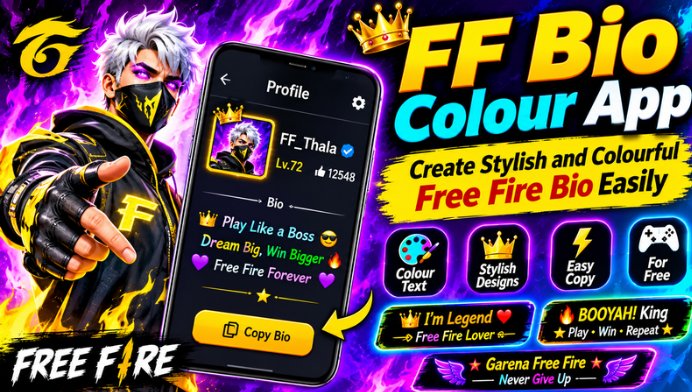
FF Bio Colour App is a profile customization tool designed for Free Fire players. It helps users generate colourful text, stylish bio designs, and creative profile descriptions using simple colour codes. Instead of using ordinary text, players can create eye-catching bios that reflect their personality, gaming attitude, and passion for Free Fire.
Create Colourful Free Fire Bio Text
One of the main attractions of an FF Bio Colour App is its ability to generate colourful text. Players can choose different colour combinations, including red, blue, green, yellow, pink, and purple. These colour codes help create attractive text designs that can make a Free Fire profile look more interesting.
Stylish Fonts and Text Designs
Apart from colourful text, some FF Bio Colour applications also provide stylish fonts, symbols, and decorative text formats. Players can create attitude bios, gaming quotes, squad names, and creative signatures. These customization options help users express their gaming personality in a different way.
Ready-Made Free Fire Bio Codes
Finding the perfect bio design can take time, especially for players who want something creative. Many bio generator apps provide ready-made Free Fire bio codes that users can copy and customize. These designs may include attitude quotes, stylish symbols, friendship messages, and gaming-related text.
How to Use the FF Bio Colour App
Using an FF Bio Colour App is generally simple and beginner-friendly. First, open the application and choose your preferred bio design or colour option. Enter your favourite text, select the colour combination, and generate the code. After creating the design, copy the generated text and use it in the Free Fire profile signature section.
How to Apply Colour Codes in Free Fire
After copying your preferred colour bio code, open Free Fire and visit your player profile. Select the profile editing option and find the signature or bio section. Paste the copied code into the available text field and save your changes. The final appearance may depend on the game’s current support for colour formatting and the selected code.
Best Colour Combinations for Free Fire Bio
Choosing the right colour combination can make your gaming profile more attractive. Red and black are popular choices for attitude-style bios, while blue and white create a clean appearance. Green and yellow combinations offer a bright gaming look, and pink and purple shades are suitable for players who prefer creative designs.
Stylish Attitude Bio for Free Fire Players
Attitude bios are popular among Free Fire players because they express confidence and gaming personality. Players can use short gaming quotes, squad messages, motivational lines, and unique symbols to create their own signature style. Combining simple words with attractive colours can make a profile more memorable.
Benefits of Using an FF Bio Colour Generator
An FF Bio Colour Generator saves time by providing ready-made designs and easy customization options. Players do not need advanced editing knowledge to create stylish text. Copy-and-paste functionality, colour selection, and bio templates make the process convenient for beginners and experienced gamers.
Safety and Important Things to Know
Before installing any FF Bio Colour application, check its developer information, permissions, reviews, and privacy policy through a trusted app store. Avoid applications that ask for your Free Fire login password or promise free diamonds, premium rewards, or guaranteed V badges. These bio tools are generally intended for text customization and are not official Garena applications.
Final Words
The FF Bio Colour App can be a useful choice for Free Fire players who want to customize their profiles with colourful text, stylish fonts, symbols, and creative bio designs. It makes profile personalization easier through simple copy-and-paste options. Choose a trusted application, create your favourite design, and give your Free Fire profile a unique gaming identity.