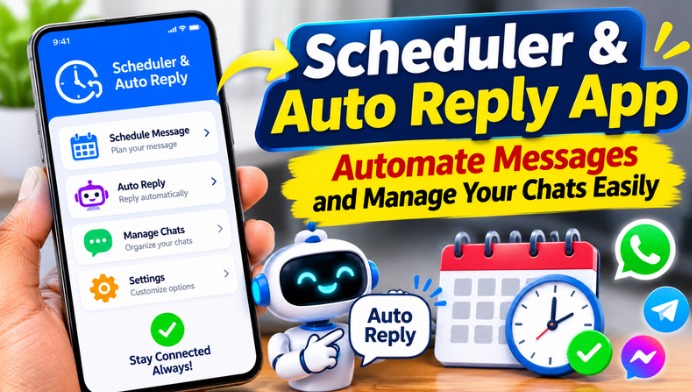
What Is Scheduler & Auto Reply?
Scheduler & Auto Reply is a messaging automation solution that allows users to schedule messages in advance and send automatic responses to incoming messages. Instead of manually typing the same message repeatedly, users can create predefined replies and schedule messages for specific dates and times. This feature can be helpful for personal communication, customer support, business management, and daily messaging activities.
How Does Message Scheduling Work?
Message scheduling allows users to prepare a message and choose when it should be sent. Users can enter the recipient’s details, type their message, select the preferred date and time, and save the schedule. Depending on the app and messaging platform, scheduled messages may be sent automatically or require confirmation before sending. This feature helps users remember important messages without needing to open the messaging application at the exact time.
Benefits of Automatic Replies
Automatic replies make communication easier by responding to incoming messages without requiring constant manual attention. Users can create custom responses for situations when they are busy, unavailable, travelling, or working. For example, an automatic reply can inform someone that the user will respond later. This helps maintain communication and ensures that important contacts receive a timely response.
Useful Features of Scheduler & Auto Reply
A good Scheduler & Auto Reply application may offer scheduled messaging, predefined reply templates, contact management, notification controls, and message automation options. Some applications also provide recurring schedules and multiple messaging platform support. These features help users organize their conversations and reduce repetitive tasks. Available features depend on the particular application and its permissions.
Manage WhatsApp Messages Easily
WhatsApp is one of the most popular messaging platforms, and many users look for ways to automate their conversations. Certain third-party scheduling applications offer WhatsApp message scheduling and automatic reply features. However, these tools may require notification access, accessibility permissions, or other Android permissions. Users should carefully review the requested permissions and understand the app’s limitations before enabling automation.
Perfect for Business and Customer Communication
Scheduler & Auto Reply can be useful for small businesses, online sellers, freelancers, and customer support teams. Businesses often receive similar questions about product prices, availability, working hours, and services. Predefined automatic responses can help provide quick information to customers. Scheduling messages can also help businesses organize reminders, promotional communication, and important updates.
Save Time with Predefined Message Templates
Writing the same message repeatedly can consume time and effort. Message templates provide a convenient way to save commonly used responses for future use. Users can create templates for greetings, meeting reminders, appointment confirmations, unavailable messages, and business enquiries. Whenever needed, they can select an appropriate template instead of typing the entire message again.
Privacy and Security Considerations
Before installing any Scheduler & Auto Reply application, users should check its developer information, privacy policy, ratings, and reviews. Some automation applications request access to notifications or accessibility services to identify incoming messages and perform actions. These permissions may expose sensitive information, so users should grant access only when necessary and choose trusted applications. Avoid sharing passwords, banking information, and confidential messages through unknown automation services.
How to Use Scheduler & Auto Reply
To get started, download a trusted scheduling or auto-reply application from the Google Play Store or another official source. Install the application and review its available features and permission requirements. Create a message template, select the recipient or supported messaging platform, and configure the preferred schedule or automatic response. Test the feature with a trusted contact to confirm that everything works as expected. The exact setup process may vary depending on the application and Android version.
Conclusion
Scheduler & Auto Reply is a helpful solution for people who want to manage their messaging activities more efficiently. With scheduled messages, automatic responses, and reusable templates, users can reduce repetitive work and improve their communication experience. Whether you use messaging apps for personal conversations or business activities, automation can make everyday communication more convenient. Always choose a trusted application and review its permissions to enjoy messaging automation safely and effectively.