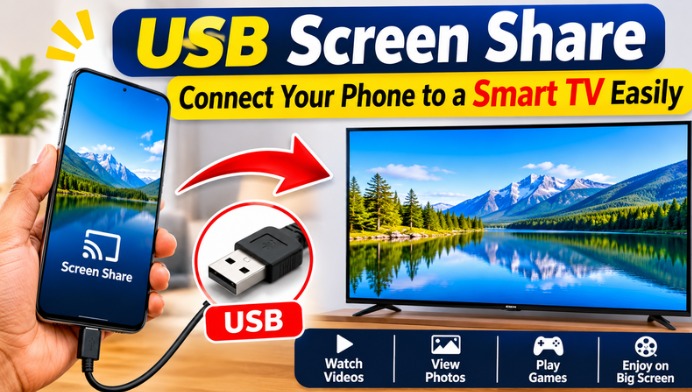
What Is USB Screen Share?
USB Screen Share refers to connecting a smartphone to a television through a USB cable to display or access supported content. Depending on the phone and TV models, the connection may allow users to transfer files, view media, or mirror the entire mobile screen. However, a standard USB connection does not automatically support screen mirroring on every device. Both devices must support the required connection method.
Benefits of Connecting a Phone to a Smart TV
Connecting a smartphone to a smart TV offers several benefits for everyday entertainment. Users can enjoy photos, videos, documents, and other supported content on a larger display. It is also useful for family entertainment, office presentations, and educational activities. A bigger screen makes it easier to share information with multiple people without asking everyone to look at a small mobile display.
Requirements for USB Screen Sharing
Before connecting your phone to a smart TV, check the available ports and supported features on both devices. You may need a compatible USB cable, USB-C to HDMI adapter, or another supported video adapter depending on your smartphone. Some Android phones support video output through USB-C, while others only support file transfer or charging. Checking the device specifications can help you choose the correct accessories.
How to Connect an Android Phone to a Smart TV Using USB
First, connect your Android smartphone to the television using a compatible USB cable. Select the appropriate USB input on your TV if required. If your television supports USB media access, you may be able to browse supported photos, videos, and files. For full-screen mirroring, your phone must support video output or a compatible screen-sharing solution. Follow the instructions provided by your phone and TV manufacturers.
Using a USB-C to HDMI Adapter
A USB-C to HDMI adapter is another option for connecting compatible smartphones to televisions. Connect the adapter to your phone and attach an HDMI cable between the adapter and the TV. Select the correct HDMI input on your television. If your smartphone supports DisplayPort Alt Mode or another compatible video output standard, its screen may appear on the TV. Not every USB-C phone supports this feature.
Can You Share an iPhone Screen Using USB?
iPhone users can also connect their devices to compatible external displays using supported adapters. Depending on the iPhone model, a Lightning Digital AV Adapter or USB-C to HDMI adapter may be required. Connect the adapter to the iPhone and use an HDMI cable to connect it to the television. After selecting the correct HDMI source, supported video and screen content can appear on the TV.
Watch Videos and View Photos on a Bigger Screen
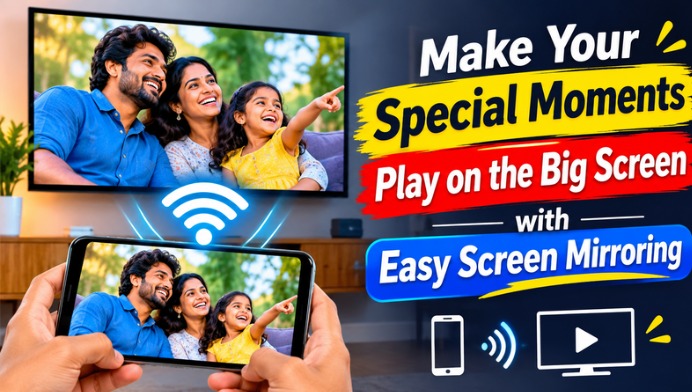
One of the main advantages of connecting a phone to a smart TV is enjoying media on a larger display. Users can view holiday photos, family videos, downloaded movies, and other supported files. Watching content on a television can provide a more comfortable experience, especially when sharing media with friends and family. The available playback options depend on the phone and TV compatibility.
USB Screen Share vs Wireless Screen Mirroring
USB connections and wireless screen mirroring offer different advantages. A compatible wired connection can provide a stable display without depending on a Wi-Fi network. Wireless options such as Google Cast, Miracast, and AirPlay can offer more convenience without cables, depending on device support. Users should choose the connection method that works best with their smartphone, television, and entertainment requirements.
Common USB Screen Sharing Problems and Solutions
Sometimes, a smartphone may charge after connecting to a TV without displaying its screen. This usually happens because the phone does not support video output through its USB port or the cable is not compatible. Check whether the TV supports the selected connection, try a compatible adapter, and select the correct HDMI input. Updating device software and checking manufacturer instructions may also help resolve connection problems.
Final Thoughts on USB Screen Share
USB Screen Share is a convenient option for users who want to enjoy smartphone content on a smart TV. With a compatible cable, adapter, and supported devices, users can view videos, photos, presentations, and other content on a bigger display. However, it is important to understand that ordinary USB file-transfer support is different from full-screen mirroring. Checking compatibility before purchasing an adapter can help you enjoy a smooth screen-sharing experience.