What Is the Red and Green Colour Dot on Mobile?
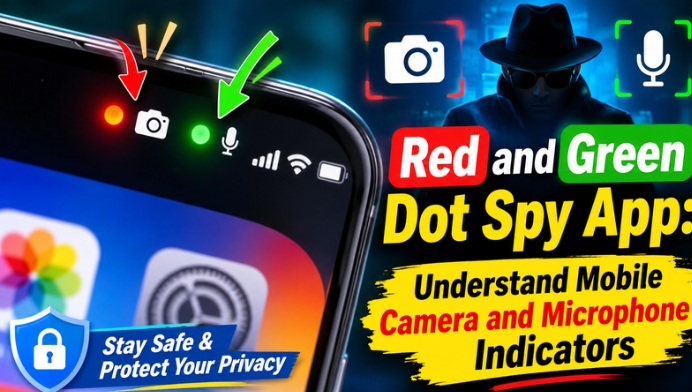
The red and green colour dots displayed on smartphones can be associated with different system activities, depending on the device and operating system. On Android and iPhone devices, privacy indicators help users identify when certain features, such as the camera or microphone, are being accessed. These indicators are useful for understanding which mobile permissions are currently active.
How Does the Green Colour Dot Work?
On many Android phones, a green indicator appears when an application accesses the camera or microphone. On iPhones, the green dot specifically indicates camera use, either alone or together with the microphone. This feature helps users become aware of camera activity and check whether an application is using the camera as expected.
What Does the Red Colour Dot Indicate?
A red dot does not have one universal meaning across all smartphones. Its meaning can vary depending on the mobile brand, operating system, notification settings, and installed applications. Users should check their phone’s notification panel and privacy settings to understand what a particular red indicator represents rather than automatically assuming that someone is spying on their device.
Features of a Mobile Colour Dot Spy App
A colour dot monitoring application may offer features such as privacy alerts, camera access notifications, microphone activity warnings, and permission monitoring. Some applications also allow users to customise indicator colours and notification preferences. These features can help users understand mobile activity and improve awareness of application permissions.
How to Identify Apps Accessing Your Camera
Checking which applications have camera permission is an important step in protecting smartphone privacy. Android users can open Settings, navigate to Privacy or Permission Manager, and select Camera to review the applications with access. iPhone users can visit Settings and select Privacy & Security to manage camera permissions. Removing unnecessary permissions can help protect personal information.
How to Check Microphone Access on Your Smartphone
Microphone access should also be monitored regularly because applications may request permission to record audio. Users can open their smartphone’s privacy settings and review the list of applications allowed to access the microphone. If an application does not need microphone access for its main purpose, users can disable that permission to improve privacy protection.
Benefits of Using a Red and Green Dot Monitoring App
A privacy indicator application can make it easier to notice camera and microphone activity. It may provide additional alerts, customisable notifications, and simple monitoring options. These features are especially useful for people who frequently install new applications or use their smartphones for online meetings, social media, video recording, and personal communication.
How to Install and Use a Colour Dot Privacy App
Users can search for a suitable privacy indicator application through the Google Play Store. Before installing an application, it is important to check its ratings, reviews, developer information, and requested permissions. After installation, users can follow the instructions to configure the indicator settings. Avoid applications that request unnecessary access to contacts, messages, files, or other sensitive information.
Is a Mobile Red and Green Colour Dot Spy App Safe?
Not every application advertised as a spy detector or privacy monitoring tool is trustworthy. Some applications may request excessive permissions or display misleading security alerts. Users should download applications only from trusted sources and carefully review their privacy policies. Remember that a colour dot monitoring application cannot guarantee complete protection against spyware or hacking.
Conclusion: Protect Your Smartphone Privacy
The mobile red and green colour dot spy app concept helps smartphone users understand privacy indicators and monitor camera and microphone activity. These indicators are useful tools for identifying when sensitive smartphone features are being accessed. By checking application permissions, installing trusted apps, and regularly reviewing privacy settings, users can take better control of their smartphone security and personal information.