Why People Forget Their Instagram Password
Many people create strong and unique passwords for online accounts, making them difficult to remember over time. Frequent password changes, using multiple devices, or relying on automatic login features can also make it easy to forget your Instagram credentials. Fortunately, Instagram provides several recovery options that allow verified account owners to reset their password quickly and securely.
Check Your Saved Password
Before resetting your password, check whether your device has already saved your Instagram login information. Modern web browsers and smartphones often store passwords securely through password managers. If you previously allowed your browser or phone to remember your password, you may be able to view it after verifying your identity using your device’s security settings.
Use the Official Password Reset Option
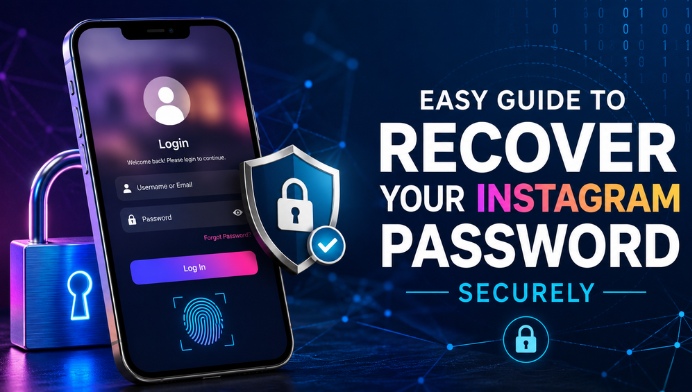
If your password is not saved anywhere, the safest solution is to use Instagram’s official password recovery feature. Select the “Forgot Password?” option on the login screen and enter your username, email address, or registered phone number. Instagram will send a secure verification link or code that allows you to create a new password and regain access to your account.
Recover Your Account Using Email
Email recovery is one of the most reliable methods for accessing your Instagram account again. If your registered email address is active, Instagram will send a password reset link directly to your inbox. After confirming your identity, you can choose a new password and sign in without losing your photos, followers, or messages.
Recover Access with Your Mobile Number
If your Instagram account is linked to a phone number, you can receive a verification code through SMS. This option is especially useful if you no longer have access to your email account. Once you enter the verification code, Instagram will allow you to create a new password and restore access safely.
Keep Your Instagram Account Secure
Recovering your password is only part of protecting your account. After logging in again, create a strong password that combines uppercase letters, lowercase letters, numbers, and special characters. Avoid using personal information such as birthdays or names, and never reuse passwords from other online accounts.
Enable Extra Security Features
Instagram provides additional security options that help prevent unauthorized access. Enabling two-factor authentication adds another layer of protection by requiring a verification code whenever someone attempts to log in from an unfamiliar device. This simple feature significantly improves account security.
Avoid Password Recovery Scams
Many websites and applications claim they can reveal Instagram passwords instantly. These services are often fraudulent and may attempt to steal your personal information or compromise your account. Always use Instagram’s official recovery methods and never share your password with unknown websites or individuals.
Tips to Prevent Future Password Problems
Maintaining secure login habits can help you avoid future password issues. Consider using a trusted password manager to store your credentials safely. Update your recovery email address and phone number whenever they change so that you can always verify your identity if needed. Regularly reviewing your account security settings also helps protect your Instagram profile.
Conclusion
Finding a forgotten Instagram password is not about discovering the old password, but about securely recovering access through Instagram’s official verification process. By using the password reset feature, keeping your recovery information updated, and enabling additional security measures, you can regain access quickly while protecting your account from unauthorized access. Following these best practices ensures that your Instagram account remains both accessible and secure for the future.