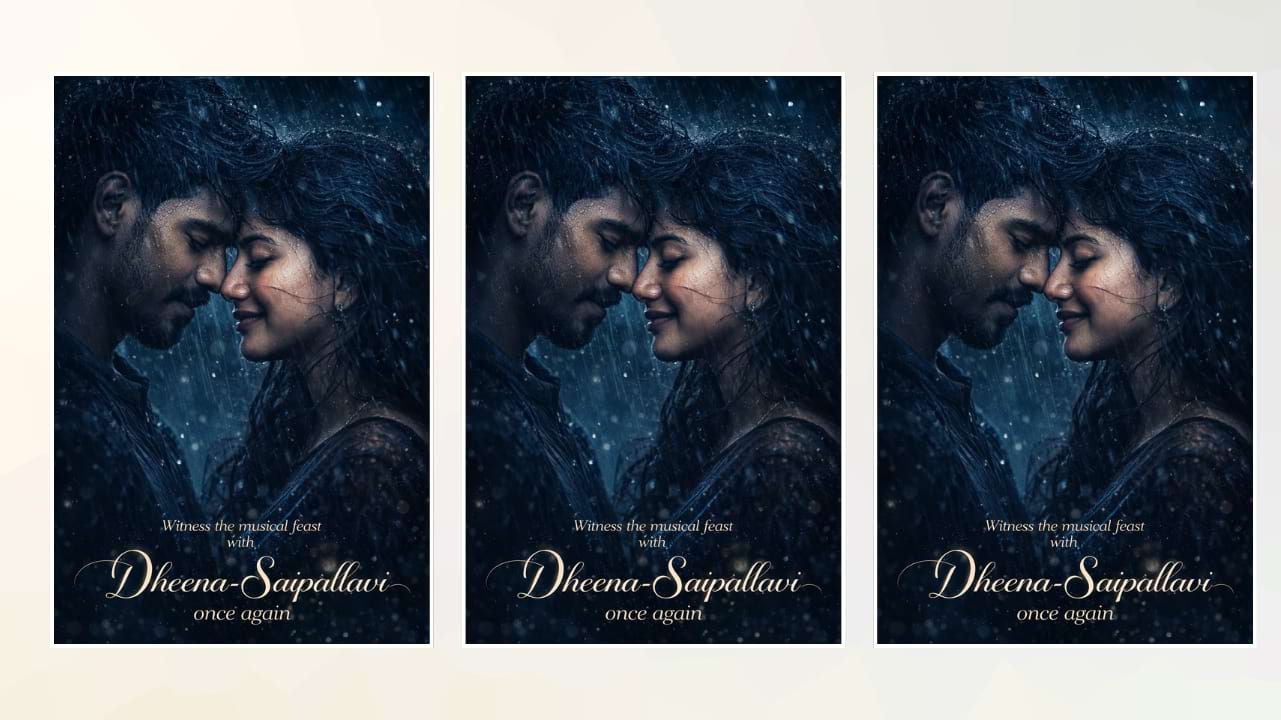
Understanding the Cinematic Look
The cinematic look is all about mood and storytelling. It often includes deep shadows, high contrast, and carefully balanced highlights that mimic the lighting used in films. Color tones like teal and orange or dark blue and black are commonly used to give photos a professional, movie-like atmosphere that feels immersive and dramatic.
Adding Emotional Depth Through Lighting
Lighting plays a crucial role in movie-style photo editing. Soft rim lighting around the subject, combined with strong shadows, creates a sense of depth and realism. This technique helps highlight facial expressions and emotions, making the image feel more alive and visually compelling.
Using Overlays for Visual Impact
Overlays such as rain, fog, smoke, and sparkles can dramatically enhance a photo. These elements add texture and atmosphere, making the image feel dynamic rather than static. Subtle additions like galaxy dust or floating particles can elevate the visual storytelling without overpowering the subject.
Color Grading Techniques
Color grading is one of the most important steps in achieving a cinematic edit. Adjusting tones to cooler shades like blue or warmer hues like orange can completely change the mood of a photo. Consistent color grading ensures the image looks polished and professionally edited, similar to scenes from a film.
Choosing the Right Photo
The base image plays a key role in movie photo editing. A good photo with natural expressions, proper focus, and balanced composition makes editing much easier and more effective. Close-up portraits or dramatic poses often work best for achieving that cinematic feel.
Adding Film Grain and Texture
Film grain is a subtle effect that adds a layer of realism to edited photos. It mimics the texture of traditional film, giving the image a slightly raw and authentic look. When used correctly, it enhances the cinematic quality without making the photo look noisy.
Creating Romantic Movie Edits
Romantic edits are especially popular in movie-style photography. Elements like rain, soft lighting, and close facial expressions can create a powerful emotional connection. These edits often focus on intimacy and mood, making them visually captivating and relatable.
High Contrast for Dramatic Effect
High contrast is a defining feature of cinematic edits. By increasing the difference between light and dark areas, the subject becomes more prominent. This technique adds intensity and draws attention to key elements in the image, making it more impactful.
Storytelling Through Composition
Every cinematic photo tells a story. Composition techniques such as framing, angles, and subject positioning help convey emotions and narratives. A well-composed image can instantly communicate a feeling, whether it’s love, tension, or mystery.

Prompt:
Ultra-realistic romantic close-up portrait of a South Indian couple standing face to face in heavy rain, eyes closed, foreheads gently touching, wet skin with visible rain droplets, natural emotional expressions. Apply dark cinematic blue-black color grading similar to a dramatic musical poster. Deep moody lighting with strong shadows, high contrast, soft rim light around hair and face. Add subtle galaxy dust particles and floating sparkles overlay blending into the background. Slight film grain texture for a vintage cinematic feel. Enhance skin highlights with soft glow effect. Background very dark navy blue fading to black with dreamy haze. Wind blowing hair strands across faces for intense romantic mood. Dramatic poster look, ultra detailed, sharp focus, shallow depth of field, 8K resolution, HDR, professional movie poster lighting, glossy skin reflections, artistic rain streaks.
Add elegant glowing white script text at bottom: “Witness the musical feast with Ram-Janani once again” soft outer glow, cinematic typography, centered composition.
Final Touches for a Professional Finish
The final step in movie photo editing involves refining details like sharpness, color balance, and overall consistency. Small adjustments can make a big difference in achieving a polished, professional look. With the right techniques, any photo can be transformed into a stunning cinematic masterpiece.